Sensory Overload Demo Walkthrough
Turn the free Steam Next Fest demo into deliberate practice.
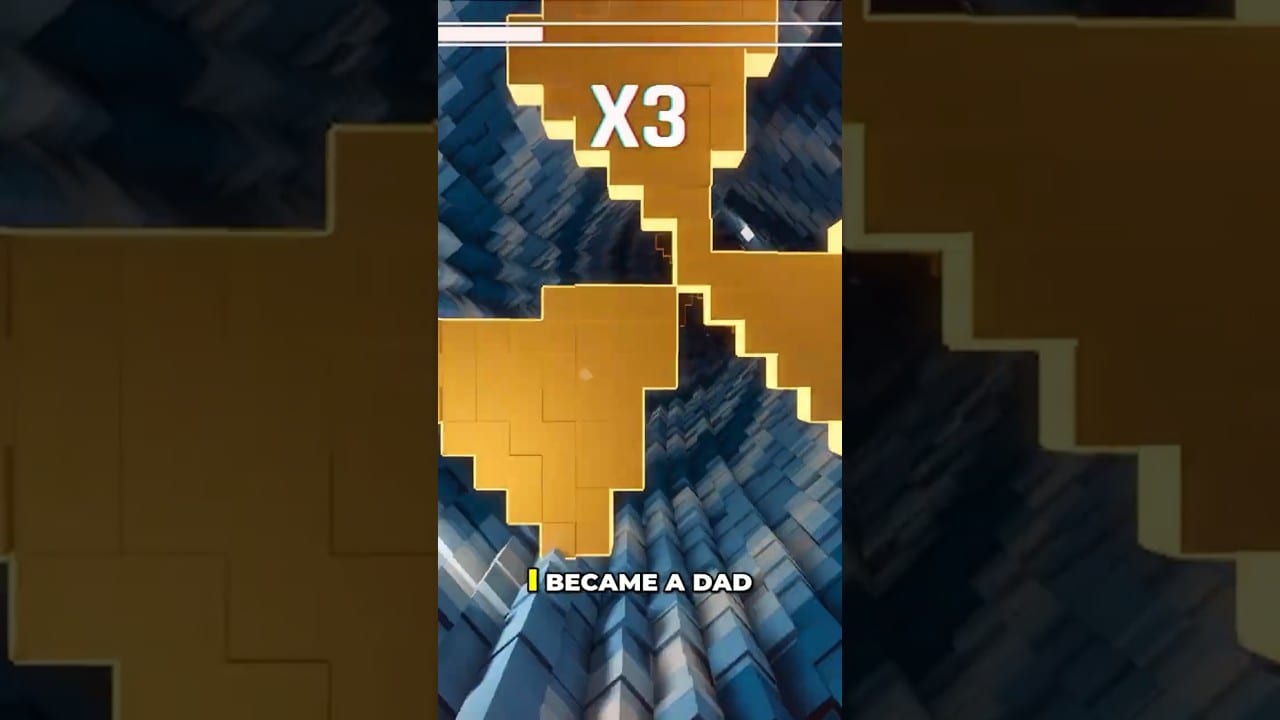
The Sensory Overload demo is not a toy trailer — it is a real slice of the dropper fantasy that went viral across social clips. Released around Steam Next Fest in June 2026, it lets you taste campaign openings, wall effects, music-synced visuals, and online leaderboards before the August 20 full launch. This walkthrough explains what to do with that slice.
Start with Getting Started if you have not played yet. Use Controls as a desk reference while you read.
What the demo includes
According to developer messaging around launch of the demo:
- Opening campaign tunnels that introduce the fantasy
- A sample of the obstacle and wall-effect systems
- Music-synced visual rewards when you play cleanly
- Online leaderboards to climb and lose
- Steam Deck support that has been tested
You should expect five wall-effect flavors powering the wider game fantasy, even if the demo does not ship every final campaign beat. Treat unknowns as intentional mystery, then verify changes on Updates as patches land.
Suggested demo path
- Install and verify performance using System Requirements.
- Complete comfort setup with the Comfort Checklist.
- Play three observation runs on early tunnels — deaths allowed.
- Drill tap movement using How to Play habits.
- Study Vertigo specifically via Vertigo.
- Touch Ranked briefly only after Normal feels readable — see Ranked Mode.
- Stop on nausea and switch to theory pages instead of forcing volume.
Leaderboard etiquette with yourself
Demo leaderboards are motivating and poisonous in equal measure. Use them as weekly checkpoints, not minute-by-minute self-worth. A single calm personal best beats twenty tilt retries. If competition spikes your motion symptoms, swap to Zen for technique.
Feedback loops that help the full game
Pancake Studios has asked players to wishlist, report bugs (in-game or via Discord), share clips, and leave even one-line demo reviews. Those actions affect visibility on Steam. From a skill perspective, written notes after each session — “died to overhold on breath compression,” “lost edge track during color flip” — improve you faster than silent rage.
Join community pointers from Official Links. Keep expectations for save transfer humble; carry-over has been discussed as under consideration, not promised.
Mapping demo skills to full release
| Demo focus | Full-game payoff |
|---|---|
| Edge reading | Faster adaptation to new named levels |
| Tap discipline | Ranked endurance |
| Comfort rules | Longer launch-week sessions |
| Leaderboard calm | Healthier competitive habits |
| Bug reporting | Cleaner day-one patches for everyone |
Track countdown context on Release Date and wishlist storytelling on Demo News. For a critical take on whether the demo’s fantasy holds for an evening, read Demo Review.
Troubleshooting the demo experience
- Instant dizziness: shorten sessions; see Motion Sickness Tips.
- Input feel mushy: recheck deadzones and read Controls.
- Performance hitching: update GPU drivers, verify Vulkan path, revisit requirements.
- Deck heat or stutter: apply Steam Deck caps.
- “I beat the viral clip but not the demo”: clips are curated; live entropy is the real teacher.
The best demo walkthrough is a loop: play briefly, note specifically, adjust one habit, stop before hatred. Do that until August 20 and the full tunnel will feel like a continuation instead of a cliff.
Demo journal template
Date / minutes played / mode / dominant death label / comfort 1-5 / one adjustment tomorrow. Five lines. That journal outperforms another hour of unlabelled retries. Share sanitized notes in Discord if you want accountability, but do not outsource your standards to strangers’ PBs.
Before uninstalling in frustration, complete one Zen narration run. If you can describe edges calmly, the demo taught you. If you cannot, you left before the lesson.
Frequently Asked Questions
Quick answers for demo and launch questions.
Is the Sensory Overload demo free?
Yes. It has been offered as a free Steam demo tied to the Next Fest-era rollout.
What should I practice most in the demo?
Peripheral reading, short taps, and comfort limits. Those transfer directly to the full release.
Where do I report demo bugs?
Use in-game reporting when available and the official Discord linked from the Links hub.