Sensory Overload Getting Started Guide
Survive your first tunnels without rage-quitting the demo.
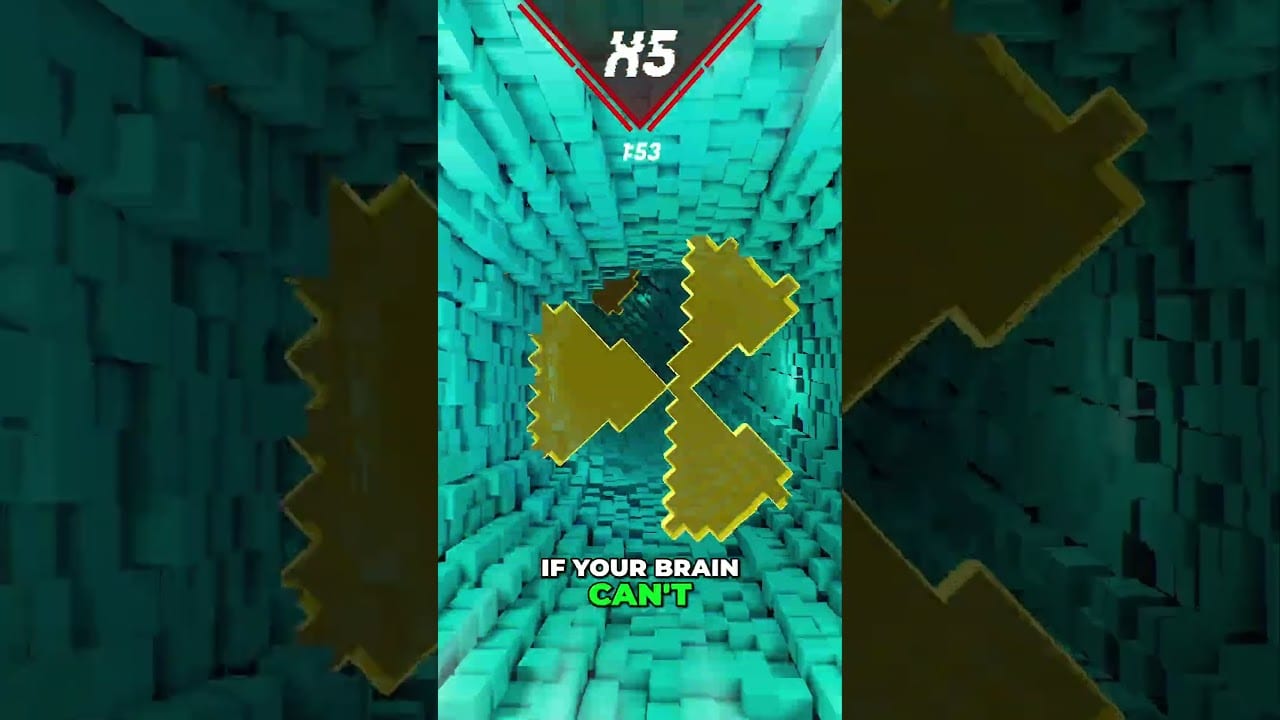
Sensory Overload looks simple in a fifteen-second clip and feels brutal in your first live run. This getting started guide is for players who just wishlisted the Steam page, installed the free demo, or are waiting for the August 20, 2026 launch and want a clean first hour.
You fall through a twisting tunnel while the environment fights your balance. Pancake Studios designed the visuals to disorient on purpose: spinning corridors, color shifts, breathing walls, and later stacked chaos. The controls stay minimal so that every death teaches reading, not button complexity. If you came from Geometry Dash, osu!, or Minecraft dropper maps, the fantasy will feel familiar — the sensory assault will not.
Before you press play
- Confirm the Sensory Overload Demo is installed and Vulkan-capable drivers are current. Check System Requirements if the menu stutters.
- Skim Controls once. You only need move, jump, and fast-fall.
- Decide your comfort rules before the first crash. Read Motion Sickness Tips if you are prone to dizziness.
- Plan short runs. Early deaths under fifteen seconds are normal according to community demo chatter — treat them as calibration, not failure.
What the first thirty minutes feel like
The game throws you into Vertigo energy quickly. The tunnel rotates, obstacles arrive in readable rhythms, and your instinct is to stare at the center of the screen while holding movement keys. That combination creates overshoots and vestibular conflict. Average first-run survival in the demo era has been extremely short for many players. Expect it. Your job in session one is not a leaderboard flex; it is learning how the tunnel communicates danger.
Use this loop three times:
- Watch one failed run without correcting every frame — just observe edge motion.
- Replay with short taps instead of held strafe.
- Add fast-fall only when a vertical gap clearly rewards it.
Then open How to Play for deeper rhythm and peripheral-vision technique.
Five beginner mistakes
| Mistake | Why it kills you | Fix |
|---|---|---|
| Staring at screen center | Rotation reads worst in the middle | Track wall edges with peripheral vision |
| Holding movement | Long glides overshoot gaps | Short taps, less than a character width |
| Pure visual panic | Late-game speed outruns reaction | Anticipate beats; count rhythm |
| Over-correcting | Disorientation creates wobble death | Smaller inputs than feel natural |
| Ignoring fast-fall | Tight vertical squeezes punish floaters | Hold down/S through compressions |
First goals that actually matter
- Survive long enough to feel the 4-beat spacing on early obstacles.
- Complete several comfortable Vertigo attempts before chasing style near-misses.
- Unlock confidence for Nausea and Peristalsis rather than forcing Apocalypse on day one.
- Learn when to stop. Comfort breaks beat “one more run” spirals.
When Normal mode feels readable, peek at Ranked Mode and the broader Modes Hub. Ranked turns effects on earlier and escalates continuously — it is a terrible first tutorial and an excellent second-week teacher.
Demo versus full game mindset
The demo (live since Steam Next Fest in June 2026) packages the opening campaign tunnels, a taste of the wall-effect system, music-synced visuals, and online leaderboards. Steam Deck support is confirmed. Progress carry-over to the full August 20 release has been discussed by the developer as something under consideration, not a hard guarantee — play for skill, not for permanent meta unlock anxiety. For inclusions and practice plans, use the Demo Walkthrough. For launch timing and wishlist context, see Release Date.
A practical first-evening schedule
- Ten minutes: controls check and one comfort setup pass via the Comfort Checklist.
- Twenty minutes: Vertigo observation runs — deaths allowed, notes required.
- Twenty minutes: deliberate short-tap movement drills.
- Ten minutes: read Vertigo and compare notes.
- Optional: watch the mid-article developer clip below, then stop for the night if your eyes feel hot or your stomach turns.
Mindset that separates quitters from climbers
Sensory Overload rewards flow state more than analytical micromanagement. Players who try to consciously solve every frame often tense up and over-steer. Players who breathe with the beat, keep posture open, and accept early deaths build a pattern library faster. The tunnel is the teacher. Your ego is optional.
If the social clips made the game look like an ADHD litmus test or an Air Force pilot filter, remember those are marketing metaphors from the developer’s shorts, not medical diagnostics. Use them as motivation or curiosity, then return to mechanical fundamentals. Pair this page with Demo Review if you still need a “is this for me?” verdict, and with Official Links for Discord bug reports.
You are ready when you can explain — out loud — where you look, how you tap, and when you fast-fall. Everything else is practice volume.
First-week mistakes borrowed from viral comments
Comment sections will tell you that surviving means you have a special brain, or dying means you are broken. Ignore both stories on day one. Your only scoreboard is whether tonight’s taps were smaller than last night’s taps. If you need social motivation, wishlist and share a bug report instead of arguing medical metaphors.
Install order matters psychologically. Demo first, comfort rules second, Vertigo third, clips fourth. Reverse that order and you will judge yourself against edited footage before you have a single honest data point. Keep Steam in offline-friendly mood if chat pressure makes you restart too fast.
Frequently Asked Questions
Quick answers for demo and launch questions.
Is dying in under fifteen seconds normal?
Yes for many first demo runs. Treat early deaths as calibration and focus on reading edges and using short taps.
Should I start in Ranked?
No. Learn Normal readability first, then move to Ranked Mode once Vertigo feels intentional instead of random.
Does demo progress carry to the full game?
Not confirmed as a guarantee. The developer has mentioned considering save transfer — play for skill either way.